
A Whatsminer error code tells you which part of the machine raised the alarm: the fans, the power supply, a temperature sensor, a hashboard, the control board, the firmware or the pool connection. MicroBT publishes the official meanings in a document called “WhatsMinerTool Error Code Description”, on the Documents download page of whatsminer.com. The current version is dated 3 June 2026 MicroBT, Documents download, Error Code Description 20260603.
This guide groups the codes by family, gives MicroBT’s own suggested fix for each, and says which fixes an owner can safely try and which belong on a repair bench. Every code here comes from MicroBT’s document or its support knowledge base. If a code is not in MicroBT’s own material, it is not in this article. The codes apply across the range, whichever model you run from the Whatsminer range in the UAE.
How to read a Whatsminer error code
The first digits tell you the family: 1xx is fans, 2xx is the power supply, 3xx and 4xx are sensors and hashboard memory, 5xx is the hashboards, 6xx is temperature, 7xx is the control board and network, 8xx is firmware, 2000 and up is the pool and hashrate.
Where the document shows an X, it stands for the hashboard slot. MicroBT’s own support Q&A reads 530 as “Slot 0 not found” and 542 as “Slot 0 reading chip Id error” MicroBT Knowledge Base, WhatsMinerTool Troubleshooting, Temp Control and Protection Q&A, 11 June 2026. So 531 is the same fault on slot 1. Where a code ends in BBB, our reading of MicroBT’s table is that it refers to a specific chip on that board; the document itself does not define it.
Each code also carries a severity level from 0 to 10. MicroBT’s note is that the higher the number, the more severe the fault.
Before you open anything. MicroBT’s after-sales policy excludes unauthorised disassembly from its warranty. If your machine is still in warranty, contact MicroBT’s after-sales channel before you take the lid off, even when the suggested fix is a cable reseat.
The UAE problem: heat codes
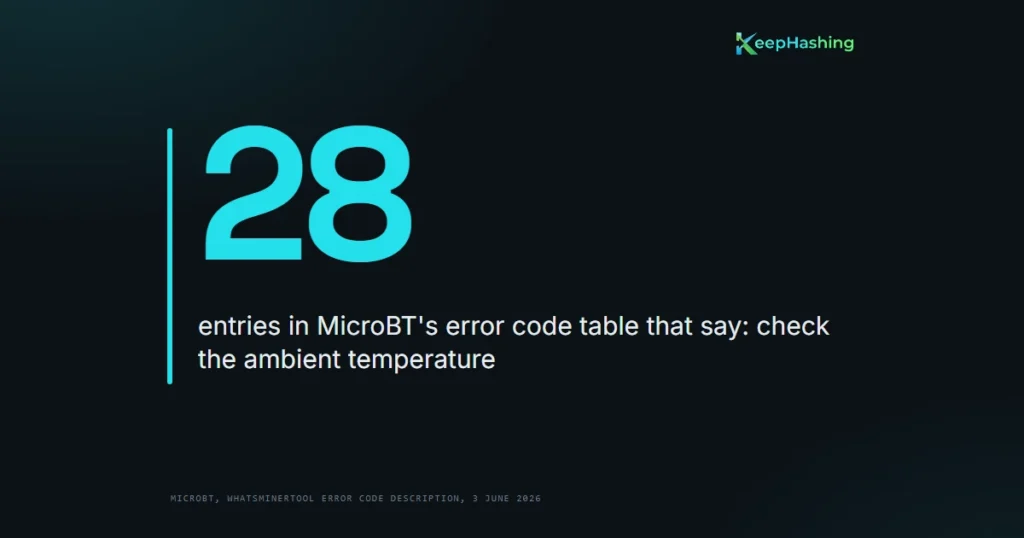
In MicroBT’s miner code table, 28 entries tell you to check the ambient temperature. In a UAE summer, these are the codes you are most likely to see.
| Code | What MicroBT says it means | MicroBT’s suggested action |
|---|---|---|
| 600 | Environment temperature is high | Bring ambient below 35 C in normal mode |
| 610 | Ambient too high for high-performance mode | Bring ambient below 30 C, or return to normal mode |
| 35X | Hashboard temperature protection on slot X | Check the ambient temperature |
| 360 | Hashboard overheating | Check the ambient temperature |
| 370 | Environment temperature fluctuates too much | Check ambient temperature, wind direction and wind speed |
| 505X | Chip temperature protection on slot X | Check the ambient temperature |
| 603X | Chip over-temperature power-off protection | Protection has already cut power to the board |
| 140 | Fan speed is too high | Check the ambient temperature |
| 233 to 235, 243 to 245 | Power supply output or input over-temperature protection | Check the ambient temperature |
Two lines matter most here. Code 600 sets the normal-mode limit at 35 C ambient, which matches the -5 to 35 C operating range MicroBT publishes for air-cooled models such as the Whatsminer M60S. Code 610 sets a tighter 30 C limit if you run in high-performance mode. A room that passes 35 C for months will keep producing these codes, whatever is done to the machine.
If heat codes keep coming back, start with the room: intake air, exhaust recirculation, dust. Our guide to fixing an overheating Whatsminer covers those checks in order.
Fan codes (110 to 140)
| Code | Meaning | MicroBT’s suggested action |
|---|---|---|
| 110, 111 | Intake or outlet fan speed cannot be detected | Check the fan connection, or replace the power supply or the fan |
| 120, 121 | Intake or outlet fan speed off by more than 2,000 | Same as above |
| 130, 131 | Intake or outlet fan speed off by more than 3,000 | Same as above |
| 140 | Fan speed is too high | Check the ambient temperature |
MicroBT’s Q&A also confirms that WhatsMinerTool cannot be used to lower fan speed on air-cooled machines. The firmware sets fan speed from the machine’s temperature and the ambient temperature.
Power supply codes (200 to 275)
This is the largest family. The most common patterns:
| Code | Meaning | MicroBT’s suggested action |
|---|---|---|
| 200 | No power supply detected | Check the PSU flat cable, update the firmware, or replace the PSU |
| 201 | PSU and configuration file mismatch | Fit the correct PSU model; MicroBT’s example is mixing P21D and P21E |
| 202 | PSU output voltage error | Update the firmware or check the PSU |
| 205, 239, 240, 248 to 251 | Grid-side current or voltage problems, over- or under-voltage | Check the power supply from the grid |
| 206, 218 | Input voltage too low (218: below 230 V in high-power mode) | Improve the supply and raise the input voltage |
| 208, 209, 211, 213, 216, 217, 219, 241 | Unstable or out-of-range PSU behaviour | Replace the power supply |
| 236 to 238, 268 | PSU output overcurrent protection | Check the ambient temperature and the copper bar screws |
| 253, 254, 274 | PSU fan error or warning | Check the PSU fan is not blocked, or replace the PSU |
| 258 to 261 | Three-phase voltage or current imbalance | Check the power supply from the grid |
| 263, 264 | PSU communication warning or error | Check the control board screws are tight |
| 212, 214, 215, 267 | Internal PSU faults | Contact MicroBT after-sales |
For code 201, MicroBT’s Q&A adds that mixing incompatible PSU models disrupts voltage regulation and risks hardware damage. Do not run the machine on the wrong PSU.
The PSU also reports its own hex codes, from 0x0001 to 0x2000. Input voltage too low (0x0001) and output undervoltage (0x0020) point to the supply. Over-temperature and primary-side overcurrent codes (0x0002 to 0x0010, 0x0080) come with MicroBT’s advice to switch off for ten minutes, then replace the PSU if it recurs. Output overcurrent codes (0x0040, 0x0100 to 0x0400, 0x1000, 0x2000) point to the copper bar screws. 0x0800 is a PSU fan failure.
Sensor and hashboard memory codes (30X to 45X)
| Code | Meaning | MicroBT’s suggested action |
|---|---|---|
| 30X, 309 | Temperature sensor not detected (309: all sensors) | Check the hashboard wiring |
| 32X | Temperature reading error | Check the control board screws and the adapter board to flat cable contact |
| 41X | Hashboard EEPROM not detected | Check the adapter board to flat cable contact |
| 42X, 43X, 44X | EEPROM parse, chip bin type or chip count error | Upgrade to the latest firmware |
| 45X | EEPROM transfer error | Check the adapter board contact and upgrade the firmware |
MicroBT’s Q&A gives two worked cases. For codes 300, 320, 321 and 421 together, it recommends first re-seating the ribbon cables and the adapter board. For event E009 with error 410 on slot 0, it says the adapter board has a problem and should be replaced.
Hashboard and chip codes (500 to 59X, 501X to 511X)
| Code | Meaning | MicroBT’s suggested action |
|---|---|---|
| 500 | No software configuration for this model | Upgrade to the latest firmware |
| 51X, 52X | Hashboard type or chip bin type does not match the rest | Replace with the correct hashboard |
| 53X | Hashboard on slot X not found | Check the adapter board connection and flat cable, check the hashboard connector for solder voids, or replace the control board |
| 54X, 56X | Chip ID read error, or board out of balance | Power off, re-seat the adapter board, or swap hashboard positions |
| 55X, 57X, 59X | Bad chips, chip transfer error, frequency too low | Contact MicroBT after-sales |
| 501X, 502X | Chip voltage too low, or chip voltage changing | Contact after-sales, or replace the PSU |
| 503X, 504X | Chip temperature spread too large | Check the miner’s heat dissipation |
| 511X | Frequency ramp-up timeout | Reboot, tighten the copper bar screws, or upgrade the firmware |
For 530 and 542 on slot 0, MicroBT’s Q&A suggests powering off, swapping hashboards SM0 and SM2, and rebooting to see whether the fault follows the board. That tells you whether the problem is the board or the slot.
Control board, firmware and security codes
| Code | Meaning | MicroBT’s suggested action |
|---|---|---|
| 701, 702 | Control board does not support the chip, or version unknown | Install the matching firmware, or contact after-sales |
| 710, 712 | Control board rebooted unexpectedly | Update the firmware, check the board screws, then replace the board |
| 714 | Network connection seriously unstable | Check the network cable, or replace the control board |
| 72X | Serial port communication error on slot X | Upgrade the firmware or replace the control board |
| 800 to 802 | Firmware component checksum error | Re-install the firmware |
| 8400, 8410 | Wrong or unofficial firmware, or firmware for the wrong series | Install the correct official firmware |
| 8700 | Miner and PSU model do not match | Fit the correct PSU |
| 901 | Power rate error | Check whether the miner has been modified |
| 90XX | A process exited abnormally | Install the newest firmware; if it persists, contact after-sales |
| 100000 to 110001 | Security library errors, illegal files, removed components | Upgrade to the latest firmware or “burn the card”, in MicroBT’s words |
On firmware, use only MicroBT’s own files from whatsminer.com and read the release notes first.
Code 901 deserves a pause. MicroBT’s suggested action is to check whether the machine has been modified. On a used machine you are about to buy, that is a reason to ask questions before you pay. Our guide to spotting a fake or tampered Whatsminer covers what to check.
Pool and hashrate codes (2000 to 2350)
| Code | Meaning | MicroBT’s suggested action |
|---|---|---|
| 2000 | No pool configured | Check the pool configuration |
| 2010 | All pools disabled | Check the network or pool configuration |
| 2020 | Cannot connect to pool X | Check the network or pool configuration |
| 2030 | High rejection rate at the pool | Check the network, pool configuration and the coin being mined |
| 2040 | Pool does not support AsicBoost mode | Check the pool configuration |
| 2050 | Failed to switch to a new pool | Check the network or pool configuration |
| 2310 to 2350 | Hashrate too low, or hashrate loss too high | Check the grid supply, the network and the ambient temperature |
Most of these are settings, not hardware. One exception from MicroBT’s Q&A: for 2010 in WhatsMinerTool, it recommends first checking for connection issues by re-seating the ribbon cables and the adapter board.
What an owner can do, and what needs a bench
Safe for an owner: check and lower the ambient temperature, clear the airflow path, check the network cable and pool settings, install MicroBT’s official firmware, restart the machine, and have an electrician check the supply voltage and phase balance.
Bench work: anything that needs the case open. That includes re-seating the adapter board and ribbon cables, swapping hashboards between slots, replacing the PSU, fans or control board, and anything at chip level (55X, 57X, 59X, and the codes ending in BBB). If the machine is still under MicroBT’s warranty, go to MicroBT’s after-sales channel first.
For out-of-warranty machines, our Whatsminer repair workshop in Deira diagnoses the fault on the bench and quotes before any work starts.