
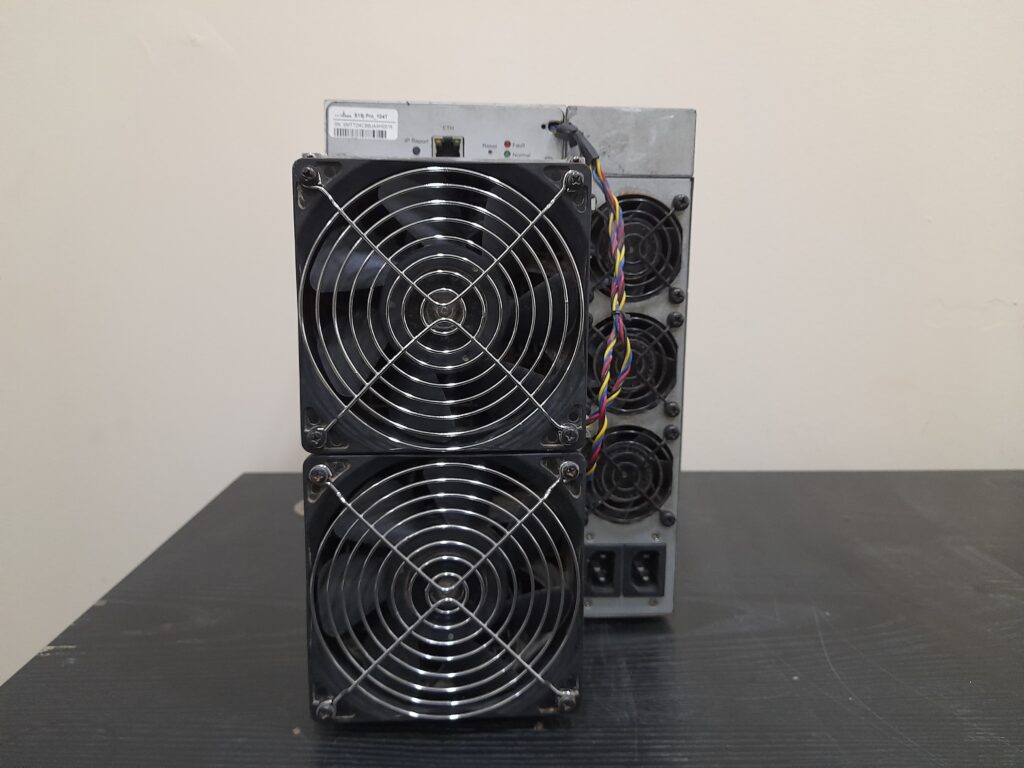
One official route per brand. The Bitmain warranty check takes a serial number at service.bitmain.com/support/warranty; its support article says “You can check the warranty through below link entering Serial Number” Bitmain Support, Miner Warranty Check. MicroBT runs Whatsminer warranty work through its after-sales channel rather than a public lookup we could open.
Below: where the serial sits, how to run each check, and what to do when it has expired.
Where to find the serial number
Antminer
The serial is printed on a label on the chassis. Bitmain’s 19-series notice: “Users can find the serial number on the white label on the ANTMINER” Bitmain Support, ANTMINER 19 Series warranty extension.
On a running machine it also appears in the machine’s own web interface. Photograph the label rather than retyping it. Most “not found” results are typing errors.
Whatsminer
The serial is on a label on the chassis. On a running machine it also appears in the machine’s own web interface. Both brands are on the Antminer range and Whatsminer range pages.
Checking an Antminer warranty (step by step)
- Read the serial from the chassis label, or from the dashboard if the machine is running.
- Open Bitmain’s warranty check page.
- Enter the serial number exactly as printed.
- Read the result against Bitmain’s published warranty periods.
Read the periods carefully, because Bitmain’s own two pages do not match. The Product Warranty article says: “The product warranty period is calculated from the official sales shipment date, BTC new miners and new power supply warranty period is generally 365 days”, and that a control board “warranty period is 180 days from the date of shipment” Bitmain Support, Product Warranty. The Miner Warranty Check article says “the warranty period of new miners, except 19 series, is generally 180 days, and the warranty period of new 19 series and new PSU is generally 365 days” Bitmain Support, Miner Warranty Check. Both were live in September 2026. Check Bitmain’s current terms before relying on either figure, and treat the tool’s answer for your serial as the one that counts.
Two more terms from the same page. The clock runs from the shipment date, not from the day you bought the machine second hand, and a request has to be opened in time: “To avail of a repair during warranty, you must create a repair ticket before 180 or 365 days of warranty expiration”.
The 19 series has a published extension. Bitmain’s notice covers “all existing 19 Series (ANTMINER S19 Pro, S19, and T19)” and says “The warranty period will be extended from 6 months to 12 months”. It was created in November 2020 and last updated in September 2022.
How MicroBT handles warranty claims
MicroBT’s support centre lists a warranty check entry alongside repair and service-centre links WhatsMiner Support Center, but we could not open the tool itself, so we are not describing it.
The documented route is the repair process, published as five steps: “Contact After-sales Person”, “Send Products”, “Online Registration”, “Service Center Processing”, “Finish” WhatsMiner repair process. The page opens a repair order and asks the user to accept the after-sales policy before submitting. Contact runs through WhatsMiner customer service.
Have the serial, the original purchase date or invoice and a plain description of the fault ready before you start. On a used machine the purchase date that counts is the first one, not yours.
How to read the result
| Result | What it usually means | What to do |
|---|---|---|
| In warranty | Serial on record, period not run out | Open a repair ticket before the period ends |
| Expired | Serial on record, period run out | Price a paid repair, or a board-level bench locally |
| Not found | A typo, a very old unit, or a relabelled machine | Stop. Ask for a photo of the label on the running machine |
A serial that checks out tells you about the paperwork, not the hardware. Boards fail inside a valid warranty, and a unit can pass a lookup and still hash at half its rated figure. That is what a bench test is for, and what what a dead hashboard looks like covers.
If the warranty has expired
Manufacturer paid repair. Bitmain’s Product Warranty page: “In the case of out-of-warranty, you can enjoy a 15-day warranty after paying”. Add the freight out of the country and back.
A local bench. board-level repair in Dubai avoids the freight and the wait, on units bought anywhere, with a written quote before any work starts.
Replacement. Past a certain repair cost a newer, more efficient machine wins on arithmetic, at your own electricity rate.
Before you buy a used unit
Three checks go together. Any one alone proves little.
- A photo of the serial label on the actual machine, not a catalogue image.
- The warranty status from that serial, run by you, not screenshotted by the seller.
- A recorded stability run with hashrate and per-board temperatures.
That is what our tested used miners go through before dispatch, and the full used-unit checklist has the rest.
Run the check yourself before you pay anyone. If it comes back expired or not found and you want the machine looked at, send the model and the serial on WhatsApp for a written diagnosis and quote before any work.