
Symptoms and What They Point To
Start by matching what you’re seeing. The distinction that matters most is whether the board is *absent* from the dashboard or *present but wrong*, because those two failures live in different places.
| What you see | Most likely cause | Owner-fixable? |
|---|---|---|
| Board missing entirely from dashboard | Data cable, power delivery to that board, or board failure | Sometimes |
| Board present, ASIC count zero | Board-level fault, most often power domain or chip chain | No |
| Board present, ASIC count below expected | Failed chips on that board | No |
| All boards present, total hashrate below rated | Thermal throttling, degraded paste, dust, or one weak board | Partly |
| Fault moves between boards on restart | PSU or power delivery, rarely the boards | Sometimes |
| Unit restarts or shuts down under load | PSU, or thermal protection tripping | Sometimes |
| Board hashing but temperatures abnormal | Sensor fault, thermal path, or airflow | Partly |
The pattern worth internalising: intermittent faults point at power, consistent faults point at the board. A board that fails identically after every restart has something broken on it. A board that works on Tuesday and not Wednesday, or a fault that migrates from board one to board three, is usually being starved rather than being broken.
What the Dashboard Actually Tells You
The miner’s own status page is the most useful diagnostic tool you have, and most owners read only the headline hashrate. The fields that matter for board faults:
Chain status and count. The S19 runs three hashboards, referred to as chains. If one is missing from the list rather than showing as faulted, the machine isn’t communicating with it at all, which points at the data path before it points at the silicon.
ASIC count per chain. Each board carries a fixed number of chips for your model. The count reported per chain is the single most diagnostic number on the page. A full count with zero hashrate is a different fault from a partial count, and a partial count tells a technician roughly how much of the board is gone before it’s even opened.
Chip and PCB temperatures. Per-board readings, usually with several sensors each. Under load, 60–80°C is normal territory and consistent readings above 85°C are a red flag. Boards reporting no temperature at all, or wildly implausible values, usually have a sensor or communication fault rather than a heat problem.
Fan RPM. Four fans on the S19. A fan reporting zero or oscillating wildly will trigger protection responses that look like board faults from the outside.
Frequency and voltage per chain. A board running at a lower frequency than its siblings is being throttled or has failed to initialise properly.
Error and status entries. These accumulate over time. What matters is not any single entry but the pattern: repeated communication failures on one chain, repeated initialisation failures, or repeated thermal events each point somewhere different.
Screenshot or export this before you contact anyone. It’s the first thing any competent technician will ask for, and it frequently shortens the diagnosis.
What You Can Safely Check
These checks need no tools beyond your hands and the dashboard, with the machine unplugged where stated.
Rule out the pool and the config first. Before touching hardware, confirm the problem is the machine. Check the pool dashboard alongside the miner’s. A machine hashing correctly locally but showing nothing at the pool is a network, worker, or configuration problem, and no amount of board inspection will fix it.
Power cycle properly. Not a reboot from the interface: full shutdown, unplug from mains, wait a couple of minutes, reconnect. Transient faults, particularly after a power interruption or brownout, sometimes clear here and nowhere else.
Connections. Powered down and unplugged, reseat the data cables between the affected hashboard and the control board, and the power cables running to that board. Loose or partially seated connectors are the most common false alarm in the entire fault category. Reseat, restart, recheck the dashboard.
PSU behaviour. If the machine restarts under load, shuts down intermittently, or the fault migrates between boards, suspect the power supply before the board. A failing PSU starves boards inconsistently and mimics board failure convincingly. Do not open the PSU. Mining power supplies hold dangerous charge after disconnection, and there is nothing serviceable inside one for an owner.
Environment. Confirm intake and exhaust are unobstructed and ambient temperature is sane. Thermal shutdowns and throttling get misread as board faults constantly, especially through a GCC summer.
Firmware. Note whether the machine is running stock or third-party firmware. Aggressive autotuning can drop a board or leave it initialising at the wrong frequency, and a failed tuning profile presents exactly like hardware failure. This is worth telling a technician even if you change nothing.
That’s where the safe list ends. Everything past it involves the boards themselves.
When It’s a Bench Job, and Why Not DIY
If reseating connections and ruling out the PSU, environment, and configuration doesn’t restore the board, the fault is on the board: failed chips, damaged traces, faulty voltage regulation, or a failed power domain.
That last one is worth understanding, because it explains why a board with one dead chip is often entirely dead rather than slightly slower. The chips on a hashboard are wired in series across voltage domains, so a single failure in the chain can take the whole board offline rather than degrading it proportionally. A board reporting zero is not necessarily a board that’s mostly destroyed. It’s frequently a board with one identifiable failure point, which is exactly why board-level repair economics work.
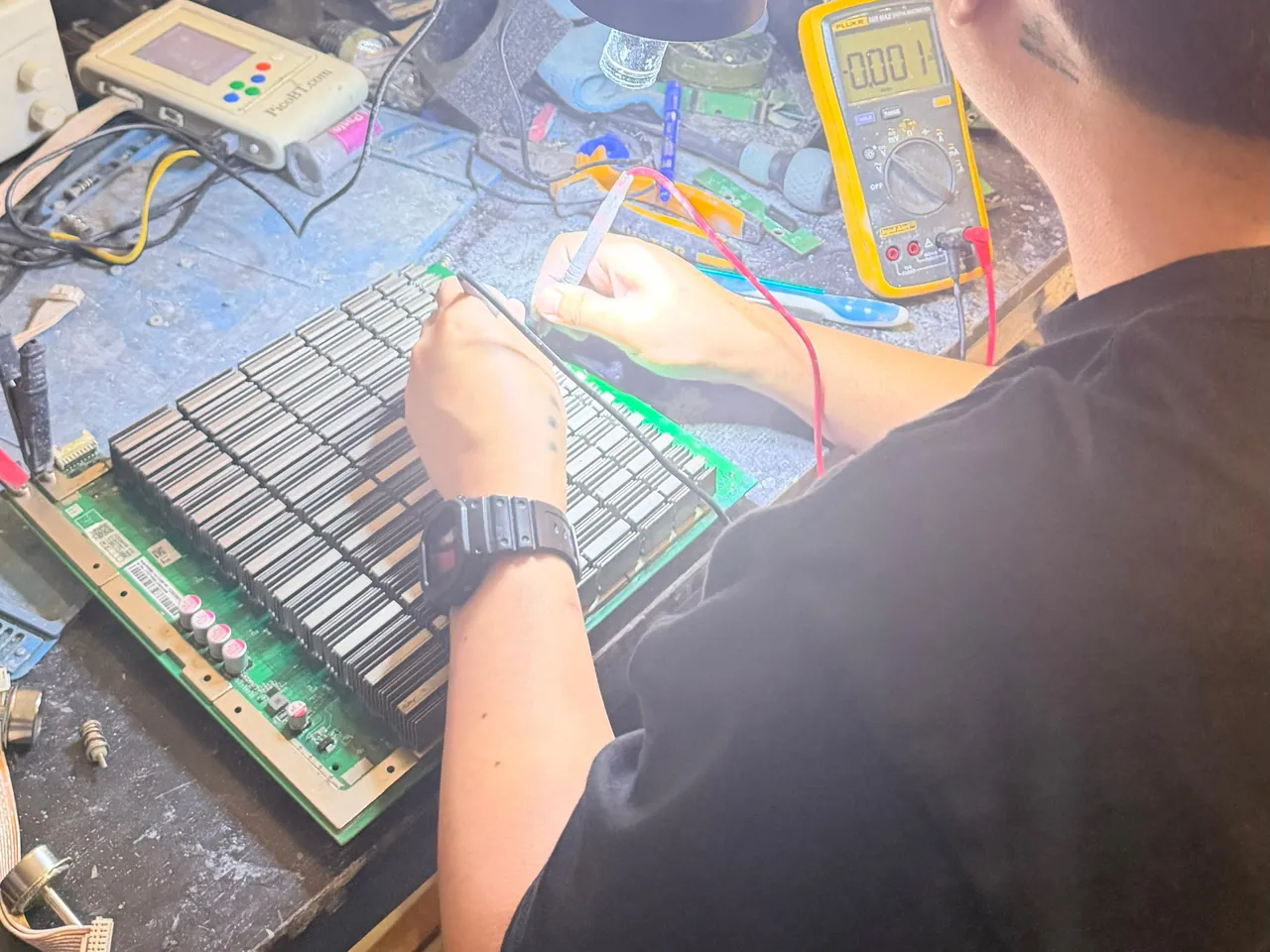
Finding that point is chip-level electronics work: hot-air rework stations, board schematics, replacement ASICs, and the experience to know which of the board’s chips failed and why. It is not a screwdriver job. Improvised board repair reliably converts a repairable board into scrap, and heat applied without proper technique damages neighbouring components that were fine before you started.
Our repair workshop in Deira diagnoses S19-family hashboards at chip level daily. You get a written diagnosis and a fixed quote for your machine before any work is approved, and the repaired unit returns bench-tested with a log showing hashrate and temperatures under load. Walk in or courier it, wherever the machine was bought.
Preventing the Next One
Most board failures we see trace back to conditions rather than manufacturing defects. Heat is the primary accelerant: a machine run continuously near its thermal limit ages every component on the board faster, and thermal cycling from repeated shutdowns adds mechanical stress to solder joints. Dust accumulates quickly in this region and insulates exactly where the machine needs to shed heat. Unstable power, brownouts, and undersized circuits stress the PSU, which then stresses the boards.
None of that is exotic. Adequate airflow, periodic cleaning, stable power, and stock firmware account for the large majority of the difference between a machine that runs for years and one that eats a board a season. If your site can’t deliver those conditions, keeping a machine cool in UAE conditions stops being your problem to solve.